

Brandbook Version 2.0 · October 2026

The T3i brand, from pixel to stage.

Logo, color, typography, components and the right way to apply them on every channel. For anyone who designs, codes, prints, films or writes for T3i.

Download the logo → AI version (.md)
White T3i Experience logo on a black background
Black T3i Experience logo on a white background
Document T3i-BRND-001
Version 2.0 · 27.10.2026
Languages PT · EN · ES · ZH · AR
Use Public and partners
01 · Principles

Four ideas hold the brand together. Everything else follows.

T3i creates and runs technology experiences for brands at events, trade shows and booths. The identity is minimalist on purpose: it has to work on an LED panel, a badge, a story and a proposal without losing presence. Before any rule in this guide, these four apply.

01

Black and white first.

The brand is monochrome. Color comes in as an accent, one per page, and never on the logo.

02

Space is the luxury.

Fewer elements, more breathing room. Premium comes from space, typography and consistency, not from effects.

03

The experience is the star.

People living the activation are worth more than any graphic. The layout makes room for the participants’ “wow”.

04

Direct and human.

Short sentences and simple words. The copy talks about what the participant feels and what the brand takes away.

03 · Color

Black, white and one accent. Only one at a time.

The logo exists in black and in white, and the whole brand starts from there. On screen, the background is a slightly lifted black, easier to read on than pure black. The accent color changes with each page or piece and never touches the logo.

Brand colors

T3i Black

#000000RGB 0 0 0CMYK 0 0 0 100

Logo and text in print. On large printed areas, rich black (CMYK 60 40 40 100).

T3i White

#FFFFFFRGB 255 255 255CMYK 0 0 0 0

Logo, headings and main text on screen.

Screen colors

Ink

#0A0A0A

Background of every screen: website, LED, video, dark slide.

Graphite

#151515

Dropdown menus, language selector and mobile bar.

Fog

#B8B8B3

Secondary text, labels and the second part of the heading.

Paper

#FAFAF7

Light carousel slides and light-background materials.

Footer background

#050505

The last block on the page, one step darker.

Line

rgba(255,255,255,.08)

Hairlines between blocks and grids.

Strong line

rgba(255,255,255,.18)

Borders of buttons, tags and menus.

Right and wrong

#3DDC84#FF5A4F

Only in guides and interface alerts: success and error.

Accent

#E63329 #8E5CFF #33D17A #E8A33D #E8376B #FF2E88 #4A9BE0 #2EE6D0 #B6F03C #FF8A1F #7DF9FF #5C6CFF #E8FF3A

Every page and every piece has its own accent color, saturated and different from the ones that already exist. The ones above are already in use. The yellow #E8FF3A is the Instagram signal and only appears on the last carousel slide, the invitation.

04 · Typography

Three families. Each with one job.

Headings in Space Grotesk, text in Inter Tight and labels in JetBrains Mono. All three are free, under the SIL Open Font License, and the website loads them from its own domain. The logo is not text: it is a drawing, and it is never retyped.

Aa

Space Grotesk

Headings, hero subtitle and large numbers. Weight 500, letters set slightly tighter than normal.

Headings · 400 · 500
Aa

Inter Tight

Body text, buttons and menus. Weight 300 for light paragraphs on dark backgrounds, 400 for the rest, 500 for buttons.

Text · 300 · 400 · 500
Aa

JetBrains Mono

Labels, tags, numbering and technical data. Small, uppercase and with wide letter spacing.

Labels · 400

Scale

Hero headingFrom pixel to stage.Space Grotesk 500 · 44 to 116 px · -0.035em · line height 0.95
Section headingEveryone hands out giveaways.Space Grotesk 500 · 36 to 64 px · -0.02em · 1.05
Card headingTechnology serves the concept.Space Grotesk 500 · 22 to 32 px · 1.15
SubtitleWe join the project to add to it.Space Grotesk 400 · 20 to 28 px · 1.25
OpeningThe participant poses and walks away with the drawing on the spot.Inter Tight 300 · 17 to 20 px · 1.55
BodySystem live, data flowing in and prizes checked.Inter Tight 300 or 400 · 16 px · 1.6
Label03 · JourneyJetBrains Mono 400 · 10 to 11 px · uppercase · 0.14em to 0.2em
05 · Layout

Twelve columns and lots of breathing room. The grid shows in the hairlines.

Every page uses a 12-column grid, with side margins of 5.5% of the screen and at most 1480 px of content. Side-by-side blocks are separated by a 1 px hairline, never by a shadow or a rounded box.

Breathing room

120 px between sections.

88 px on mobile. The hero fills the whole screen, with the text in the lower half.

Corners

Square, almost always.

Cards, buttons and photos have square corners. Round only on pills: the top button, the language selector and the mobile bar.

Breakpoints

1100, 900, 760, 560 and 360 px.

Below 900 px the menu disappears and the mobile bar takes over. Below 560 px the logo drops to 32 px.

06 · Imagery and video

Real people, real events. The photo proves what the copy promises.

T3i’s media is a record of real activations: people taking part, reacting and walking away with the result. That is what sells. The layout exists to let that image breathe.

01

The result first.

The first image shows the person holding the result or the action happening. Never just someone standing in front of a screen.

02

Vertical by default.

Almost all material is shot at 1080 × 1920. Before putting it in a horizontal box, crop where the action is, without cutting off heads or products.

03

Video on the website is silent.

It goes in with no audio track, looping and with a cover image. Sound only in Reels and films, with royalty-free music.

04

Dark over the video.

Text over an image gets a dark gradient layer fading into the page black. Readability above all.

05

Natural color.

No heavy filters, no artificial black and white and no vignette. Fix the light, do not invent a mood.

06

Light files.

Photos 900 to 1200 px wide, video 720 px. A whole case page stays between 2 and 4 MB.

07 · Icons

Thin stroke, round ends. One drawing for each idea.

Icons are line drawings on a 24 px grid, in the text or accent color. In a block with several items, each one has its own icon: eight squares with the same symbol look careless.

Photo
AI
Robot
Music
Game
Prize
Data
QR code
08 · Motion

It eases in, never jumps. Motion guides the eye, it does not decorate.

Content rises slightly and fades in as it reaches the screen, slowing down at the end. Buttons change color instantly. Nothing spins, blinks or explodes.

Entrance
Opacity from 0 to 1 and a 28 px rise over 0.9 s, with the curve cubic-bezier(.2,.8,.2,1). Neighboring items come in sequence, every 0.08 s.
Tap and hover
Buttons swap white and black in 0.2 s. The arrow moves 4 px. The card lightens slightly.
Scroll
After 24 px of scrolling, the header gets a dark blurred background.
Video
Cut on the beat, shots of 1.5 to 3 seconds, no frame held still for more than 4.
Reduced motion
Anyone who turned off animations in their system sees the page still and complete.
09 · Writing

Short sentence. Period. No frills.

T3i talks like someone who has done it: direct, confident and jargon-free. The copy tells what the participant feels and what the brand takes away. Numbers only when someone measured them.

Direct

One idea per sentence.

A period instead of stacked commas. If a word can go, cut it.

Confident

Proof instead of adjectives.

What happened, how long it took, what the person took home.

Human

Talks about the audience.

The participants’ reaction and the brand’s result come before the equipment.

Write it like this

Write it like this
Not like this
Why
A busy booth and people all around.
A two-hour line.
“Line” only in the good sense: a packed booth. Never a wait.
About 30 seconds per cup.
Cutting-edge technology, unique experience.
A concrete number instead of an empty adjective.
When the brand wants it, lead capture comes in.
No sign-up.
A feature that did not run at one event is not shown as missing.
The balloon basket is real.
The basket is made of wicker.
Words everyone gets the first time.
We work in Brazil and abroad.
Present in 12 countries.
Reach without numbers or a list of cities.
Thousands of activations delivered.
12 years in the market.
Strength comes from volume and from what is ours, never from years in business.

Names always written the same way

T3i ExperienceSelfieCupAutógrafo MóvelRobô CaricaturaReflexo InfinitoLED TunnelVirtual QueueRobo Futuro · Humanoid G1Pooh Panda RobotTitan Robot Dog
10 · Components

Ready-made pieces. Build with them, not from scratch.

Every T3i case and page comes from these same blocks. A new page copies the style of a recent page and changes only the accent color.

See the cases →Chat on WhatsApp

Buttons

Inter Tight 500, 14 px, 1 px white border and square corners. The primary is filled, the secondary is outlined. On hover, they invert.

t3i.site

Top pill

The only round piece in the menu. White background, rises 2 px on hover.

01 · Context
RoboticsHighlight
Step 01 · Capture

Labels

JetBrains Mono in uppercase. Numbering always with two digits. The accent goes on the highlight tag and the step dot.

Everyone hands out giveaways. A piece built by the crowd, not so much.

Heading with a twist

Space Grotesk 500. The first part states, the second turns the tables, in fog.

Card grid

Cells separated by a 1 px line, with mono numbering, a heading and short text. Three or four per row.

Case card

4:5 thumbnail, category in a pill, mono tags, a heading ending in a period and the “View case” link.

PT
EN ES ZH AR

Language selector

Flags drawn in SVG, never emoji. Always leads to the same page in the other language.

Mobile bar

Only below 900 px. Five items, the active one rises into a circle and the last is always WhatsApp.

Floating WhatsApp

Desktop only, in the bottom corner. On mobile, the bar does that job.

11 · Channels

Each channel has its own way. The brand is the same on all of them.

Format, safe area and step-by-step for every place T3i shows up. If a channel is not here, the closest principle applies, plus a conversation before producing anything.

1440 × 900 · 375 × 812

11.1

Website and case pages

Each case tells an activation from start to finish, in a rhythm that repeats across every page.

How to do it
  1. Follow the rhythm: hero with video, context, layers of the experience, step-by-step journey, results, solution blocks, final invitation and footer.
  2. Logo as an image in the header and footer. Never the name typed in its place.
  3. Hero video muted, looping, with the text in the lower half of the screen.
  4. On mobile, a bottom navigation bar with five items, the last one WhatsApp.
  5. Publish in all five languages on the same day, with the selector leading to the same page.
Avoid
  • Pages that scroll sideways or text hidden behind the mobile bar.
  • Unoptimized photos and videos that slow the page down.
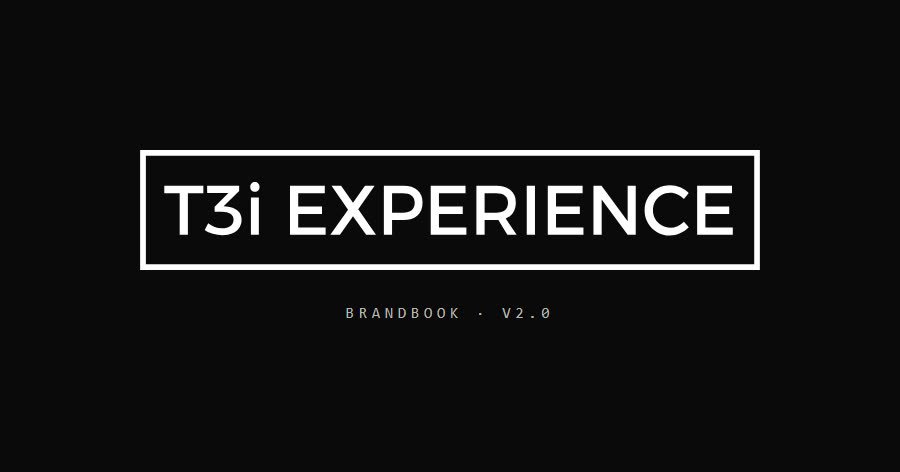
Link card example: the T3i logo on a black background

900 × 472 · JPG · up to 72 KB

11.2

WhatsApp link card

The image that shows up when someone pastes the link into a chat. It is often the first contact with the page.

How to do it
  1. A 900 × 472 px image of up to 72 KB on your computer. The server inflates the file, and above 90 KB WhatsApp shows a small thumbnail.
  2. Image URL always complete, starting with https://.
  3. A short title: it is what shows up in the chat.
  4. Changed the image? Send the link with a variation at the end, like ?v=2. WhatsApp keeps the old thumbnail.
Avoid
  • A readable client logo without authorization.
  • Small text that turns into a blur in the thumbnail.
1080 × 1350 Cover safe area · 810 × 1080 The result in the hands of the person who took part.

1080 × 1350 · 4:5 · 7 slides

11.3

Instagram carousel

Seven slides that tell a case or an idea, from hook to invitation.

How to do it
  1. Slide 1 is the result or the action that sparks curiosity. The “how” comes in the following ones.
  2. On the cover, everything that matters inside a centered 810 × 1080: the profile grid crops the edges.
  3. Alternate light and dark slides. The accent goes on icons, numbers and the label dot.
  4. The signal yellow appears only on the last slide, the invitation.
  5. Close with a call to talk: “Link in bio. Let’s design it together.”
Avoid
  • A cover with someone just looking at the screen, before any result.
  • Two yellow slides, or “send us a DM” as the call to action.
Top: 250 px Text here App caption and buttons

1080 × 1920 · 30 fps · 15 to 25 s

11.4

Reels

Short vertical video, watched without sound and decided in the first two seconds.

How to do it
  1. Hook by second 2: the strongest image from the event, not the logo.
  2. Text between 250 px from the top and 1480 px in height, and more than 120 px from the right edge, away from the app caption and buttons.
  3. One short sentence per scene, readable without sound and in simple words.
  4. Close with the large logo, t3i.site and the word to comment.
  5. Royalty-free music. Final file in H.264 with AAC audio.
Avoid
  • A small logo in a corner as the ending.
  • Text at the bottom, where the app caption covers it.
Closing line t3i.site Separate call to action

End card 1080 × 1920 · 860 px logo

11.5

Films and brand videos

Every T3i video ends the same way: the brand large, clean and unhurried.

How to do it
  1. Close with the standard card: a clean #0A0A0A background and the white logo in the center, at 80% of the frame width.
  2. t3i.site below the logo. The closing line, if any, goes above.
  3. The call to action stays separate from the logo, never inside it.
  4. The card stays on screen for at least 5.6 seconds.
Avoid
  • A small logo, inside a little plate, over a busy image or squeezed into a corner.
  • A logo enlarged from the 600 px PNG. Use the SVG or the 2400 px PNG.
Margin 42 px Stop. Take part. Remember.

840 × 672 · 5:4 · LED P2.9

11.6

LED panel and stage

A large screen seen from a distance, by people walking and talking. On the showroom panel, 840 × 672 pixels. On another panel, the same logic at its own resolution.

How to do it
  1. Background #0A0A0A: on LED, black is light switched off and gives the highest contrast.
  2. Read from 3 to 6 meters: headings at least 70 px on the panel, supporting text at 42 px and nothing below 28 px.
  3. At most six words per screen, for at least 2.5 seconds.
  4. A 42 px safe margin and strokes of at least 2 px.
  5. Logo from the SVG file. The small PNG breaks up on the panel.
Avoid
  • A full white screen, which dazzles up close.
  • Thin lines and stripes, which flicker on LED and create waves for anyone filming. Vertical video stretched to fill the screen.
Campaign artwork Tap to start
Main action QR code on the result

43-inch vertical kiosk · 32-inch touch screen

11.7

Kiosk and touch screen

The interface the participant uses at the event. It wears the client’s brand. T3i takes care of how it works.

How to do it
  1. The screen follows the brand’s campaign artwork. T3i signs discreetly, or does not sign at all when the project is white label.
  2. An attract screen with a short call and motion, to draw people in from afar.
  3. One decision per screen and the shortest possible path to the result.
  4. Buttons at least 2 cm on each side and an immediate response to every tap.
  5. A visible countdown before the photo. The result on screen with a large QR code, black on white.
  6. With no touch for a while, the screen goes back to the start on its own.
Avoid
  • Small text for people standing a step away from the screen.
  • Long forms. Sign-up asks only for what the brand will use.
Brand experience at the event. From concept to operation.

1920 × 1080 · 16:9 · PDF

11.8

Proposal and presentation

The document the brand or agency takes in for approval. Each slide sells one idea.

How to do it
  1. Black cover with the white logo and the name of the brand’s project.
  2. Start with the brand’s goal. Then the experience, the participant’s journey and what the brand takes away.
  3. One topic per slide, a two-part heading and a full-screen photo from a real event.
  4. Close with the next step and the WhatsApp link go.t3i.site/whats.
  5. Send it as a PDF. Without the fonts installed, use Arial.
Avoid
  • Slides with long paragraphs or technical spec lists.
  • Years in business or number of events as an argument.
Person’s name T3i Team

Vector · 25 mm minimum

11.9

Print, uniforms and badges

Everything that comes out on paper, fabric or other materials. Here mistakes are expensive, so the right file matters.

How to do it
  1. Send the print shop the SVG or the PDF, never a screenshot.
  2. Black logo on light backgrounds and white on dark ones. On the logo and text, 100% K black.
  3. Colored backgrounds, photos or textured materials: use the block logo.
  4. On T-shirts and badges, the whole logo, with the clear space around it.
  5. Ask for a proof before running the full print.
Avoid
  • A logo less than 25 mm wide.
  • Outlines, shadows or effects to “make it stand out”. A logo over a fold, seam or zipper.
12 · Brand architecture

One parent brand. Products with their own name and look.

T3i Experience signs for the company. Some products got their own website and identity to sell better on their own, always with T3i as the endorsement.

Parent brand

T3i Experience

Website, cases, proposals, social media and team. Black, white and one accent per page.

Former name

Descomplique Eventos

Same company and same team. Old material with that name is ours and can be used. New pieces go out as T3i Experience.

Product · autografomovel.com.br

Autógrafo Móvel

Paper and pink pen. Fraunces, Caveat and DM Sans.

Product · selfiecup.com.br

SelfieCup

Cobalt and yolk yellow, photos as stickers. Bricolage Grotesque and Figtree.

Product · robocaricatura.com.br

Robô Caricatura

Graphite with a technical grid and orange. Unbounded, Manrope and IBM Plex Mono.

13 · Accessibility and languages

Everyone can read it. In five languages.

A beautiful page that part of the audience cannot use is wrong. These rules apply to the website, the activation interface and any digital piece.

01

Contrast.

Text at least 4.5:1 against the background. White on #0A0A0A gives 19.8:1 and fog gives 9.9:1.

02

Touch target.

At least 44 px on mobile and 2 cm on the kiosk. Space between buttons so fingers do not miss.

03

Alt text.

Every image describes what it shows. Background video and decorative icons are hidden from screen readers.

04

Reduced motion.

Anyone who turned off animations in their system sees the page still and complete.

05

Five languages.

Portuguese, English, Spanish, Chinese and Arabic. When the Portuguese changes, the other four change with it.

06

Arabic.

Right to left, with no extra letter spacing, with mirrored arrows and layout.

14 · Downloads

The official files. Use these, never a screenshot.

SVG is the first choice: it scales without losing quality, from the website icon to the LED panel. Transparent PNG for presentations and video. PDF for print.

Logo package

White and black transparent logos and both block versions, in SVG and PNG, in a single file.

White logo

Transparent, for dark backgrounds. The default version.

Black logo

Transparent, for light backgrounds.

Black block logo

White logo on a black rectangle, for busy or uncertain backgrounds.

White block logo

Black logo on a white rectangle, for print and busy light backgrounds.

Aa

Fonts

Space Grotesk, Inter Tight and JetBrains Mono. Free, under the SIL Open Font License.

Brandbook for AI

This entire guide in Markdown, to paste into an AI before asking for a piece.

Design tokens

:root {
  /* marca */
  --t3i-preto: #000000;
  --t3i-branco: #FFFFFF;
  /* tela */
  --ink: #0A0A0A;          /* fundo */
  --grafite: #151515;      /* menus e barra do celular */
  --fog: #B8B8B3;          /* texto secundario e rotulos */
  --papel: #FAFAF7;        /* slides e materiais claros */
  --line: rgba(255,255,255,.08);
  --line-strong: rgba(255,255,255,.18);
  --neon: #7DF9FF;         /* acento: um por pagina */
  /* tipografia */
  --display: 'Space Grotesk', 'Helvetica Neue', Arial, sans-serif;
  --text: 'Inter Tight', Helvetica, Arial, sans-serif;
  --mono: 'JetBrains Mono', 'Courier New', monospace;
  /* layout */
  --margin: 5.5vw;
  --gutter: 24px;
  --max: 1480px;
  --ease: cubic-bezier(.2,.8,.2,1);
}
15 · For AI

Send it to your AI. It applies the brand without guessing.

This brandbook also exists in Markdown, in a single file, with colors, measurements and the rules for each channel written for an AI to read. Give the link to ChatGPT, Claude or your agency’s tool before asking for the piece.

The file https://t3i.site/logo/brandbook.md

Updated together with this page. It has everything here, plus the exact values of each rule.

Open the file →
A prompt that works

Read the T3i Experience brandbook at https://t3i.site/logo/brandbook.md and follow all of its rules. Then create: [describe the piece, the channel and the format].

Questions about usage

Producing something with the brand?
Talk to us before you print.

Send the piece or the draft on WhatsApp. We check logo, color and copy before it goes out.

Chat on WhatsApp →